

Strava
  • Features
  • How It Works
  • Sign Up
  • Login

Dedicated to Dirt: Leadville Qualifying Series Entry Giveaway

Posted by Annie Vranizan on March 22nd, 2013

Team Strava is headed to the Leadville 100 MTB race this summer and we want you to join us.

As one of the most well known mountain bike races in North America, getting into the Leadville 100 is extraordinarily difficult. We want to help you get there, so we’re giving away three entries to each Leadville Qualifying Series race!

How To Earn Yourself An Entry
You will need the Instagram photo app for your smartphone and a big imagination.

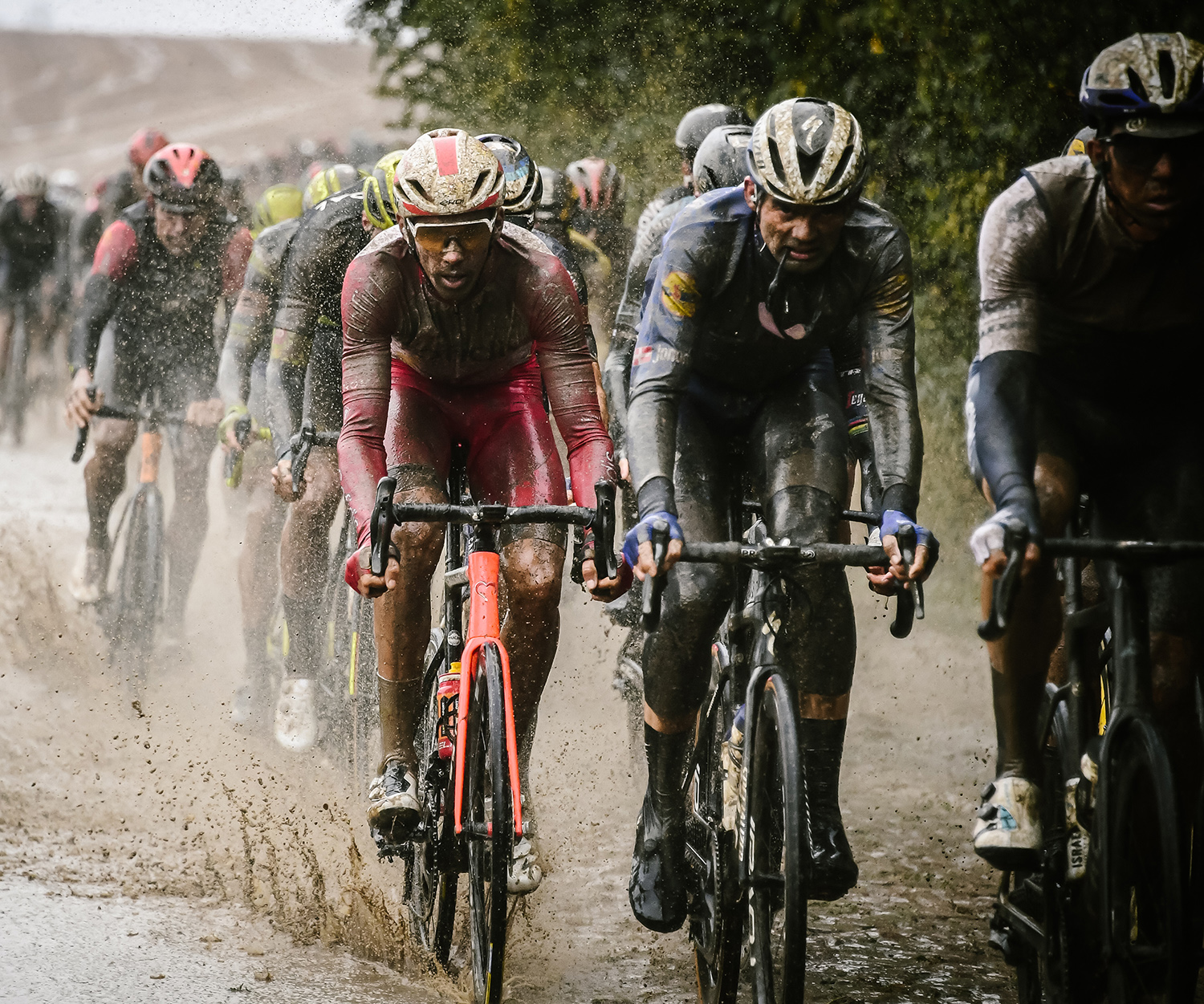
Snap a photo from the trail and show us what it means to be dedicated to dirt. Photos of your bike, mud, sweat, friends and scenery are all welcome. Submit your photo to Instagram using the race-specific #hashtag (found below). From there, we’ll compile all the photo submissions in an album. Share your photo from the album with your friends, club members and fellow athletes and rally likes/tweets around your photo.

At the end of the voting period for each race entry giveaway, the top two photos with the most likes/tweets will earn an entry to that qualifying race. The Strava team will choose the third winning entry based on the photo’s epicness, suffer-quality or creativity.

How to Submit a Photo
Entering is simple:

  1. Take a picture of your life as a dedicated athlete out on the dirt, trail or mud.

  2. Upload your photo to Instagram and tag it with @stravacycling plus the hashtag of the race you’d like to win entry to. For example, if you want to compete in the Austin Rattler tag your photo: “@stravacycling  #StravaAustinRattler”.

  3. The photos must be your own original work and submitted by 12:00am PST on the voting deadline date.

Race Schedule and Hashtags

  • April 13 - Austin Rattler 100,  #StravaAustinRattler
    Rattler Photo Album
    – Voting ends April 1
  • June 1 – Barn Burner 104, #StravaBarnBurner
    Barn Burner Photo Album – Voting ends May 3
  • June 16 – Wilmington Whiteface 100, #StravaWhiteface
    Whiteface Photo Album -  Voting ends May 15
  • July 13 – Silver Rush 50, #StravaSilverRush
    Silver Rush Photo Album – Voting ends May 31
  • July 20 - Tahoe Trail 100, #StravaTahoeTrail
    Tahoe Trail Photo Album – Voting ends June 10

Who is Eligible?
Anyone can participate, but should a winning photo entry belong to a Strava Premium member, we will send you a sweet new Strava kit (Castelli jersey/bib shorts), so you look sharp on race day!

The Fine Print
* You can submit as many photos as you’d like, but limit one race entry per person.

* We are giving away a race entry. This giveaway does not include travel or accommodations expenses.

*If you don’t qualify through LQS, we’ll be giving away spots to the coveted Leadville Trail 100 Run and Leadville Trail 100 MTB later this spring – stay tuned for more details!

Questions?
Please email community@strava.com if you have questions on how to submit or share your photo submission.


New Premium Feature: Performance Goals

Posted by Alex Mather on March 20th, 2013

Performance Goals with a Social Twist

Setting a goal is one of the first things a dedicated athlete does as they prepare for a new season, a new month, and even a new week. With that in mind, we’re happy to announce the launch of our second set of Premium goal-related features: Performance Goals. Our initial release of Performance Goals focuses on segments and power.

Segment Goals…Finally
This feature has been in our hearts and on our minds for a long time. Now you can pick your favorite segment, scan the leaderboard for your target time, and create your goal. When (not if) you achieve your goal, we’ll show it off for you in the feed. Segment goals can be created on cycling and running segments.

Power Goals…Feel the Burn
Cyclists with power meters are in for a real treat. Now you can set power goals for popular time intervals such as 5 seconds, 1 minute, and 10 minutes. This is a great way to use your power meter to hone in specific skills. We’ll even show your power goals overlaid on your power curve.

Goals Just Got More Social
At Strava, we know the more social you are around your goals, the more likely you are to achieve them. Thus, we worked hard to incorporate your friends and fellow athletes into the goal experience. You can now invite other athletes to “join” the segment and power goals you set for yourself. For example, once you’ve set your 20-minute goal on Old La Honda (Bridge to Mailboxes), you can invite your friends to set the exact same goal as you, or set their own specific time goal for the same segment. Either way, we’ll display all of your friends who have joined in on a particular goal so you can work together to push yourself to new heights.

The Fine Print

  • Performance Goals are public and your privacy settings will apply. Thus, goals created by athletes with Enhanced Privacy turned ON can only be seen by their approved followers.
  • Cyclists can not create Segment Goals on downhill segments.
  • Power Goals can only be achieved by using a Power Meter, Estimated Power does not apply.

To learn more about this Premium feature or many other motivating Premium features, check out our Strava Premium page.  If you aren’t already a Premium member and want to hit new PRs and get more social with Performance Goals, upgrade for only $6 per month or $59 per year. Enjoy!

- Alex


New Premium Feature: Segment Intensity Score for Power Meter Users

Posted by Alex Mather on January 31st, 2013

Geeking out over your matched segment list after a ride is a favorite Strava past time, and we’re excited to launch a feature that will give you even more to geek out over. Now available to Strava Premium members with power meters, Segment Intensity Score tells you how hard you worked on any given segment.  (Quarq, Cyclops, and the recently introduced Stages make some pretty sweet power meters!)

How is Segment Intensity Calculated?

We take the average power for a given segment and compare your average power for that segment with your best average power over the past 6 weeks for the duration of the segment. For example, if your best 20-minute power in the previous 6 weeks was 300W and you maintained 270W for a 20-minute segment on a given ride, you will receive a 90% Segment Intensity Score. A score of 100% means you set your best 6-week power for the length of the segment!

Hard Efforts Highlighted

You can’t go out and hammer every segment on a ride, but there are times when you give a specific segment a go – the Segment Intensity bar is a great way to quickly identify these hard efforts on a ride. Hover over a specific segment and we’ll show you the score!


Perfect for Interval Sessions

The segment intensity score also works with lap functionality, making it a great way to visualize an interval session and quickly hone in on the hard efforts while ignoring the recovery laps.


The Fine Print

  1. Only you can see your Segment Intensity Scores for now
  2. Segment Intensity Scores can only be seen on the Activity page
  3. Only Strava Premium members with power meters can see Segment Intensity Scores
  4. Segment Intensity is based only on your 6-week best power data

We’ve got lots more planned to make training with a power meter even more fun and would love to hear your comments and ideas! If you aren’t already a Premium member and want to get the most out of your power meter, upgrade to Premium for only $6 per month or $59 per year. Enjoy!


Join the Marathon Training Series

Posted by Andrew Touchstone on January 28th, 2013

Strava Marathon Training Series

Training for an April Marathon? Looking to build on that January base and crush your PR at Boston or Big Sur or London? Strava is here to support your goals with our upcoming Marathon Training Series!

We want to make sure you have the tools and motivation you need to get to that finish line, set a PR, or run a marathon just for fun. For each of the Challenges in the series, you need to run the required distance in a single activity within the time allotted to make it count.

The Marathon Training Series consists of three individual Challenges, with distances and scheduling designed to align with your existing training calendar:

Marathon Training Series Half Marathon February 2013 Half Marathon (Feb 1-10)
A 13.1 mile test to see where you stand
Marathon Training Series Long Run March 2013 Long Run (Mar 1-10)
Up the miles and prove you’re ready
Marathon Training Series Half Marathon April 2013 Marathon (Apr 6-28)
Translate your training block into a marathon PR! 

Do you have what it takes to complete all three Challenges in the Marathon Training Series? For those runners that do, we’ll make sure you get the recognition from Strava that you deserve (and maybe a little surprise as well).

Sign up for all three Challenges today (half marathon,  long run and marathon), and get your butt out there! You’ve got some running to do…


Strava + Instagram

Posted by Alex Mather on January 24th, 2013

For us here at Strava, not every ride and run is about crushing KOMs and CRs. We love to stop once in a while to smell the roses, wait for a friend, crack a joke, or simply enjoy the view. When the view is particularly epic, it’s become pretty natural to take out our phones and share our moments of bliss with our thousands (or tens) of eager Instagram friends and followers.

Today we’re excited to announce the launch of our integration with Instagram. We think the simplicity of it all is pretty magical: just connect to Instagram from the “Social Connections” section of your Settings page on Strava and we’ll take care of the rest.

Once you’re connected, just do what you’ve already been doing – take amazing pictures during your runs or rides and upload them to Instagram. Be sure to do this during your ride. We can automatically associate your photos with your activities, but only if they were uploaded during the time you were running or riding. We’re not going to be perfect, so we’ve given you the ability to easily remove any Instagram photos from Strava (they will remain on Instagram).

Your photos will show up in the Activity Feed alongside your activity, on your Activity pages, and we’ll even group them and put them on your Profile page (check out Ted King’s profile). Finally, we’ll look back at your Instagram history and see if you took any pictures while you were riding and running in the past and bring them into Strava.

We’re looking forward to seeing so much more than a GPS plot of your runs and rides, so hop on Instagram, pick the perfect filter, and give us a little view of your world!


Download the Latest Versions of Strava for Android and iPhone

Posted by Alex A on December 22nd, 2012


Download the latest versions of Strava for Android and iPhone.

Strava Run and Strava Cycling for Android just got more social:

  • Social Feed: Your Feed now shows the runs, rides, and workouts of those you follow. Tap on your friends’ activity detail to comment on their performance and motivate them with kudos. Toggle from “Me” to “Following” to see your activities or activities of those you follow.
  • Find & Follow Friends: Go to your Profile to search for friends individually, or see Strava athletes who are your friends on Facebook. What’s more, you can manage your followers, as well as your Enhanced Privacy settings from Strava.com, and your preferences will sync with the app.

Strava Run and Strava Cycling for iPhone keeps you in the know:

  • Club View & Social Notifications: Your Feed shows the runs, rides, and workouts of those you follow, and we’ve now added Clubs to this view. Toggle from the “Following” or “Me” tab to “Club” view to see your fellow club members’ activities. In addition, you’ll now see notifications from your Feed screen. Easily check out who’s given you kudos, commented, or is following you.
  • Run Audio Announcements: Available on Android and now on iPhone too, get distance updates without stopping to look at your phone. From your Settings screen, tap on “Audio Announcements” to get an audio update every mile or kilometer you hit, or every half mile or half kilometer.

Leaderboard Filters:

Available on both Android and iPhone, you can now filter segment leaderboard results by club, gender and time frame. Upgrade to Premium to level the playing field and see how you do against athletes in your own age group and weight class.

Segment Effort Comparison:

Available on Android and iPhone, track your segment efforts over time, and see how your performance compares against friends! From your Segment Detail screen, you can see your best effort on a particular segment compared to your top three all time best efforts. Upgrade to Premium to see your PR compared to a friend’s best effort on a particular activity. (This Premium feature can only be viewed via the mobile app.)

Enjoy!


Strava Premium: We’re Just Getting Started

Posted by Michael Horvath on December 19th, 2012

Over the past couple of weeks we’ve released a series of new Premium features in an effort to help you stay motivated, train more effectively, and have fun. The best part is that we’re just getting started. These features are the foundation of a growing set of Premium tools and benefits that will serve our dedicated athletes around the globe. Our Premium feature-set focuses on four major themes:

1) Set Goals
We’re athletes – we’re always striving for that next event or PR – that’s what we do. Whatever the milestone may be, we want to help you get there. Setting goals will be the foundation of your training and Strava is here to motivate you, but also hold you accountable. Learn more about this first iteration of a new Premium feature suite designed to help you achieve more:

  • Progress Goals – Set time and distance goals and track your progress week over week

2) Train Intelligently
As dedicated athletes, many of you have invested in external hardware, like heart rate monitors and power meters, to help you improve. We want you to learn more from your sensory data to understand the type of athlete you are and how your workouts impact your overall fitness. Proper training means more effective and efficient workouts so you can avoid injury and meet your goals. Check out the current Premium features designed to help discover more about your effort, whether it be on the road, track or trail:

  • Suffer Score with Custom Heart Rate Zones – Quantify your suffering and track the intensity levels of your workout
  • Advanced Power Training Analysis – Discover your strengths and weaknesses and monitor how you’re riding over time
  • Pace Analysis – Run at the right pace and train effectively for your next event

3) Compare & Compete
See your training and goal setting payoff with a variety of ways to track your performances over time. Get the affirmation or reality check you need by seeing how you stack up against athletes most similar to you. Best yourself, or focus on edging out the competition — Strava is here to track and motivate you to do both. Learn more about the Premium features that give you the competitive fuel to reach your highest potential:

  • Filtered Leaderboards - See where you rank in your own age & weight category
  • Segment Effort Comparison – See how your best efforts compare against friends’ on favorite segments (viewable on mobile now and coming soon to web)

4) Have Fun
At the very core, we do our sport because it makes us happy. Whether you like to compete, stay fit, or explore, Strava wants to help you discover and preserve the aspects of your sport that motivate you and lead an active lifestyle fill with adventure. Learn more about the growing list of Premium features that will push you to get outside and get going:

  • GPX Download – Discover a great route on Strava and download it to your Garmin
  • Premium status & access – Get exclusive tools, tips and surprises throughout the year!

If you are not already a Premium member, upgrade now to stay motivated and get maximum enjoyment out of your life as an athlete. As always, we welcome your feedback and look forward to introducing more Premium features and benefits throughout the year.


New Premium Feature: Weekly Progress Goals

Posted by Sarah K on December 13th, 2012

Weekly Progress GoalsPremium members, now you can set time and distance goals and track your progress!

This first iteration of Progress Goals allows you to work towards your milestones week to week. Available on your dashboard, use the drop-down menu next to “Weekly Progress” to select a Running Only, Cycling Only, or both a Running & Cycling goal. Goals start on Mondays, end on Sunday, and can be edited at any time.

Manually uploaded runs and rides will also count towards your weekly goal, but activities uploaded as  “Stationary Trainer” or “Treadmill” currently do not. This functionality is coming soon. Free users will not have goal setting capabilities, but will now be able to see accumulated distance totals by sport on their dashboard.

This release marks the first of many for goals-related features. In the future, we plan to introduce longer-term and performance-based goals, as well as more in depth analyses of your progress against the goals you’ve set for yourself. Stay tuned!

If you aren’t already a Premium member and are ready to work towards a new goal in the New Year, upgrade for only $6 per month or $59 per year. Dig deep and get it done!


New Premium Feature: Advanced Power Training Analysis

Posted by Alex Mather on December 11th, 2012

As of today, Premium members who ride with power meters can start training more intelligently with Strava Premium’s new Advanced Power Training Analysis. This initial set of power meter features is just the beginning, setting the stage for Strava Premium to give you even more reasons to love your power meter, train effectively, and hit your goals.

Here’s a breakdown of what power meter athletes now get with a Strava Premium membership:

  • Weighted Average Power: Weighted Average Power looks at all of your power variation and provides an average power for your ride. This is a better indicator of your overall effort than simply taking your average power.
  • Training Load: We calculate Training Load by comparing your power during a ride with your Functional Threshold Power (FTP) and seeing how much load you put on your body during the workout. Training Load is a great way to determine how much rest you need after your workouts.
  • Intensity: Intensity is Strava’s way of showing how difficult a ride was.  Strava looks at your Weighted Average Power for the ride and compares it to your FTP. For example, if your Weighted Average Power is 250W and your FTP 300W, then your Intensity would be at 75%.
  • Power Curve: The Power Curve shows your best average power for time periods of 1 second up to the length of your ride. We pinpoint your best efforts during a ride and you can compare them with your best efforts in the last 6 weeks, the current year, years past, or all time! The Power Curve can be displayed in Watts (W) or Watts per Kilogram (W/kg.)

  • Power Distribution by Power Zones: While the Power Curve shows your best efforts for given periods of time, Power Zone charts take each 1 second of power from your ride and distributes it by training zone based on your FTP.
  • Power Distribution by 25W Increments: Similar to the Power Distribution by Power Zones, the Power Distribution by 25W Increments simply puts each 1 second of power into a 25W training zone from 0 to the highest power output on the ride.
  • Power Curve in Training Section: Similar to the Power Curves on your activities, the Power Curve in the Training section allows you to compare any two of your power curves. For example, you can compare the last 6 weeks to all of 2012 or 2011 and see how you’re progressing.
  • FTP Management in Settings: You’ll be able to manage your FTP so that Strava can accurately calculate Training Load, Intensity, and Power Distribution by Power Zones. FTP Management is very basic at this time, but we plan on giving you the ability to post-date previous FTPs.

We look forward to growing our arsenal of power meter features. If you aren’t already a Premium member and want to get the most out of your power meter in 2013, upgrade for only $6 per month or $59 per year. Enjoy!


New Premium Feature: GPX Download Functionality

Posted by Sarah K on December 6th, 2012

Premium members, discover great routes on Strava.com and download them to your Garmin.

If you have a Garmin 800, 605, or 705, getting a GPX file on your device is easy. On any activity page you’re viewing, you’ll now see a “GPX Download” button located at the top-right corner of the activity’s map. Click this button to download the GPX file to your computer.

  1. Plug your Garmin device into your computer.
  2. Navigate to the Garmin drive on your computer and find the folder labeled “Garmin”. If you have a Garmin 800, inside the Garmin folder is a subfolder labeled “NewFiles”. If you have a Garmin Edge 705 or 605, the subfolder will be labeled “GPX”.
  3. Simply drop your downloaded GPX file into this folder and then safely disconnect your Garmin as you would any other USB device. (The method used to get the downloaded GPX file on your Garmin device will vary based on your computer setup, but in general, you can think of your Garmin as you would any other USB drive.)

Now when you turn on your Garmin Edge device, you should find the route under the “Courses” menu and you’re ready to go.

GPX files are tied to each athlete’s Privacy settings, therefore all activities available for export are stripped of any performance data upon download and respect Privacy Zones except if you’re downloading your own file. If you have Enhanced Privacy turned on, only those who you’ve approved as followers will be able to download your activities. If you don’t want anyone downloading a particular activity, we recommend you make that activity private.

If you aren’t already a Premium club member and want to check out some great new routes in 2013, upgrade for only $6 per month or $59 per year. Enjoy!

← Newer Posts      Older Posts →

Recent Posts

  • Boston – It’s More Than 26.2
  • 1 Million Weekly Activities and Counting
  • Introducing the Monthly Training Series
  • Run For Boston
  • Now Available: New Run Activity Page + Pace Analysis for Premium Members
  • Coming Soon: Your New Run Activity Page + Premium Pace Analysis
  • The Strava Sprinter Is Hitting The Road. First stop – Boston
  • LQS Dedicated to Dirt Photo Winners
  • New Premium Feature: Fitness & Freshness for Power Meter Users
  • Stay on Track with the Latest Versions of Strava for Android and iPhone

Linkroll

  • Engineering at Strava
  • Join us on Twitter
  • Strava Cycling on Facebook
  • Strava for Mobile
  • Strava Run on Facebook
  • Strava Shop
  • Strava Support Site
  • Visit our Facebook page

Subscribe to our RSS Feed


Strava — Built for Athletes
©2008-2013 Strava, Inc
All rights reserved.
About
  • About
  • How It Works
  • Features
  • Mobile
  • Premium
  • Privacy Policy
  • Terms and Conditions
Follow
  • Facebook
  • Twitter
  • Blog
Help
  • Support
  • FAQ
More
  • Sign Up
  • Log In
  • Strava Store
  • Careers
  • Ambassadors
  • Pros on Strava